Best & Secure Method to Convert ICS to TXT File Format


Summary: ICS files aren’t the easiest to work with since they’re mainly designed for calendar apps. They don’t let you easily edit or search through event info. Because of this, many teams convert ICS to TXT to make reviewing and sharing much easier. Text files open on almost any device and let you quickly skim through details. In this post, we’ll go over a few easy ways to change ICS files to TXT, including a tool called the ICS Converter Tool for faster work.
User Query: “We have many ICS calendar files that are stored to review for a legal case. Going through each one will take a lot of time. Is there a fast way to convert ICS files into plain text without losing any details?”
Why Convert ICS Calendar File to TXT Format?
- TXT files open on any computer or phone without special apps
- Calendar info is easy to read when it’s plain text
- Editing or copying event details is simpler
- Sharing files with teammates or legal folks is easier
- Reviewing lots of events speeds up a lot in text form
- There’s no chance calendar apps will change how things look
- Useful for audits, legal reviews, or quick checks
- Keeps all event info clean and straightforward
Manual vs Tool: Quick Comparison
|
Point |
Manual Method |
Tool Method |
|
Speed |
Slow, especially with many files |
Much faster, handles large batches easily |
|
Number of files |
Works well for a few files |
Can handle hundreds or thousands at once |
|
Risk |
Higher chance of mistakes or missing data |
Lower risk when the tool is used properly |
|
Best use |
Good for small, one-time tasks |
Better for bulk work or urgent cases |
How to Convert ICS to TXT Using the Manual Approach
In this section, we will convert your ICS file to the text format with easy manual steps. The Text file is a simple file format that you can open in Notepad and many other platforms easily.
Steps to Convert ICS File to TXT
- Firstly, find your ICS file on your computer.
- After that, right-click the file and pick Open with > Notepad (or another text editor).
- Once it opens, look through the calendar info. You can edit if needed.
- Then, click File > Save As.
- Further, change the file type to TXT and choose where to save it.
- Finally, give it a new name and hit Save to export ICS to TXT.
Manual Method Limitations:
- Easy to make mistakes when editing or saving.
- Formatting can look confusing in a plain-text editor.
- Not great if you have many files or need quick results.
- No built-in checks to make sure data didn’t get messed up.
Fast Way: ICS File Converter Tool to Convert ICS to TXT
If you have lots of ICS files and need to save time, the ICS Converter Tool is helpful. It converts many ICS files into TXT quickly. Plus, it can convert ICS to PST and many more file formats whenever you need them. Also, it helps you to keep all details intact, including the folder structure. The tool also helps if you want to convert ICS to EML later.
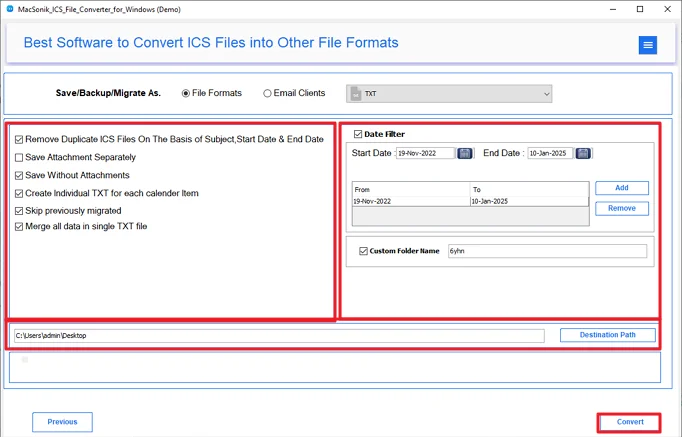
Steps to Convert iCalendar to TXT
- Download and install the ICS Converter.
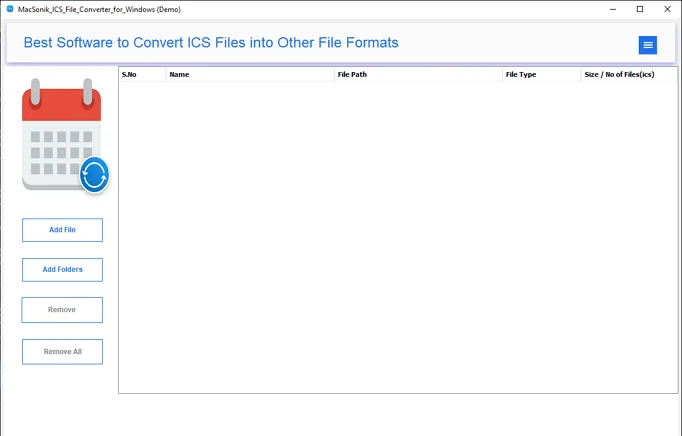
- Add your ICS files and click Next.
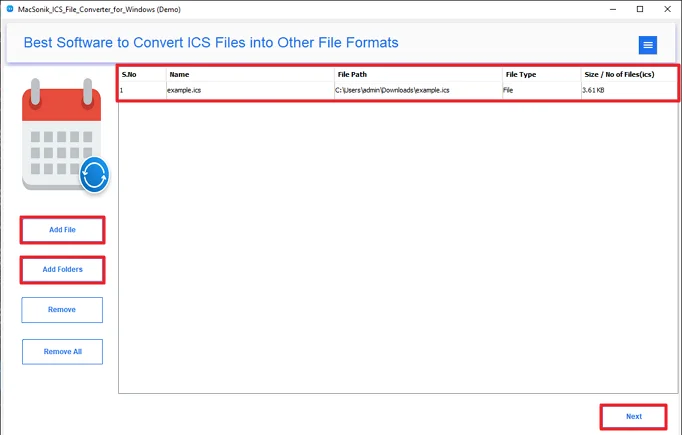
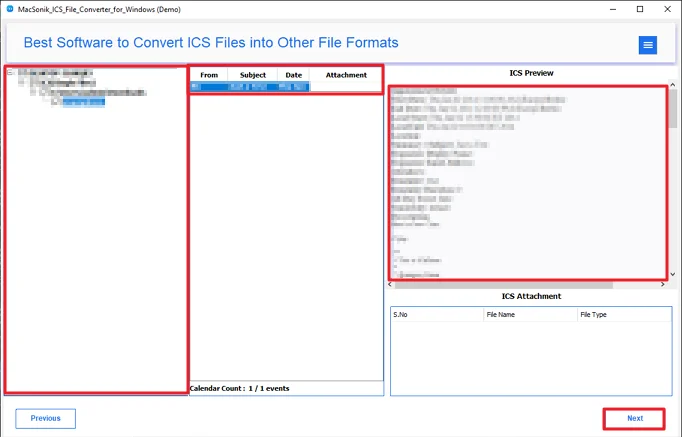
- Preview and select the files, then click Next.
- After that, pick TXT as the output format.
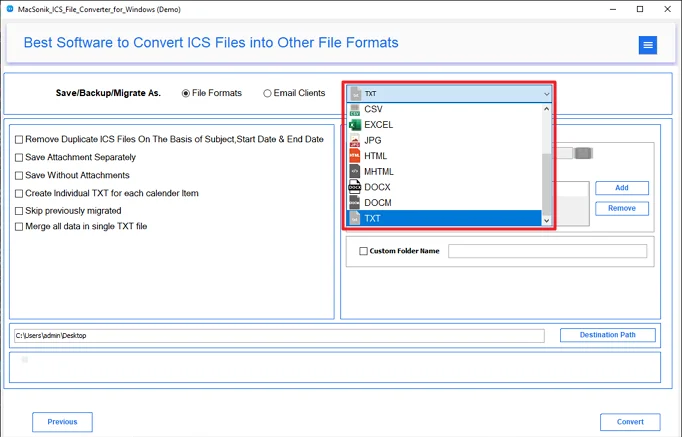
- Finally, choose any filters, set where to save the files, and click Convert.
Wrap-Up
To conclude, the process to convert ICS to TXT may sound simple, but calendar data can get messy fast. We looked at why conversion is useful and showed both a free manual way and a faster tool option. The manual method works fine for a few files, but when you have a lot, a tool usually saves a lot of time and hassle.
Frequently Asked Questions
Ans: Manual methods require some basic technical knowledge. But the professional ICS Converter Tool does not require any technical knowledge. It has easy to use GUI which is beginner-friendly.
Ans: yes it is totally safe to convert your ICS file to TXT format. TXT is a simple text format that can be accessed anywhere without any hassle. This utility stores zero data and follows a secure authentication process.
Ans: Manual methods require repetition of the whole process for each file. But by using the Smart ICS File Converter Tool, you can easily convert bulk ICS files in a single go.
Ans: You can use the ICS File Converter Tool to export your ICS file to TXT format easily. It has a simple interface and is available for Windows, Mac, and Linux.
Related Post
