Quick Ways to Convert OLM to ICS File Format in Bulk?


User Query: “I am looking for an expert solution to change my OLM file into an ICS file format. Is there any process that lets me export calendar events from an OLM file into an ICS format? If yes, what steps should I follow?”
Summary: Problems in meetings, deadlines, and appointments, and things get even harder when the data in the calendar doesn’t move smoothly between platforms. Many Mac Outlook users struggle with this because their schedules are stored in OLM files, which aren’t easily shared across other apps. To convert OLM to ICS file, we will cover both the manual process and a reliable MacSonik OLM Converter Tool to help you move your data without trouble..
Why Users Want to Convert Mac Outlook OLM to ICS?
- Unlike OLM (limited to Mac Outlook), ICS files can be shared easily with teammates, clients, or partners on any platform.
- ICS acts as a universal backup format, making it simple to restore or import calendar data on any device or app in the future.
- The format ensures better workflow continuity when switching devices, upgrading systems, or moving to another email or calendar service.
- ICS files are lightweight and easy to store, making them ideal for long-term archiving of calendar information.
Traditional Method to Convert OLM to ICS
This manual method works well if you have limited calendar events. This method is not ideal for users who have multiple OLM files or large amounts of data. Below is the step-by-step process that shows how you can do it:
Steps to Export Calendar Data from OLM to ICS
- To begin with, open the Outlook for Mac application on your system.
- Then, switch to the Calendar view.
- After that, select the event or group of events you want to export.
- Finally, drag the selected items from your Outlook Calendar and drop them onto your Mac’s desktop.
Each event you export will automatically be saved as an individual .ics file. You can then import or share these files with other email platforms or cloud services. Just keep in mind that, like any manual approach, this method comes with a few limitations that you should consider beforehand.
Limitations:
- You cannot export all calendar events at once; each event must be dragged out individually.
- The process becomes slow and tiring when dealing with multiple OLM files or a large volume of events.
- There is no option to filter or selectively export items based on date, category, or priority.
Quick & Secure Way to Convert OLM to ICS File
When the manual method falls short, the OLM Converter Tool becomes a much more reliable option. If your calendar contains important business schedules, even a small error or missing event can create serious issues. This tool makes OLM to ICS Conversion simple and stress-free for both individual users and large organizations. Instead of converting events one by one, you can process thousands of OLM files in just a few minutes, and even choose exactly which data you want to export. Additionally, you can convert OLM to Thunderbird, Office 365, G Suite, and more platforms.
Steps to Convert OLM File to ICS
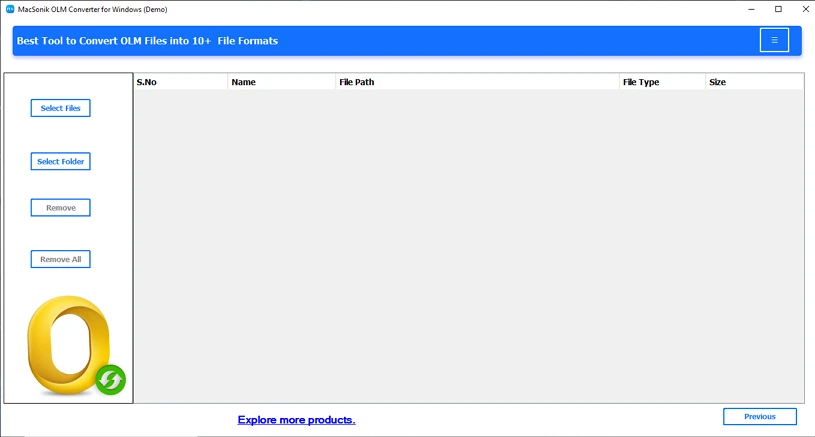
- Download and start the OLM Converter Tool.
- Then, select a file or folder and click Next.
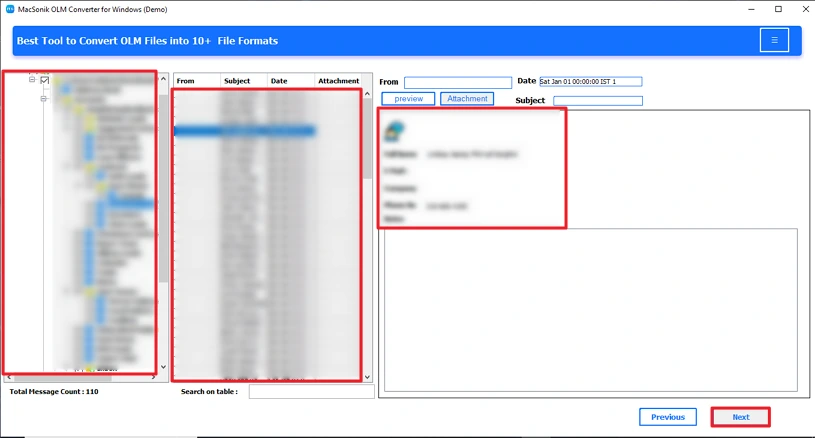
- Next, preview and select the files to convert, then click Next.
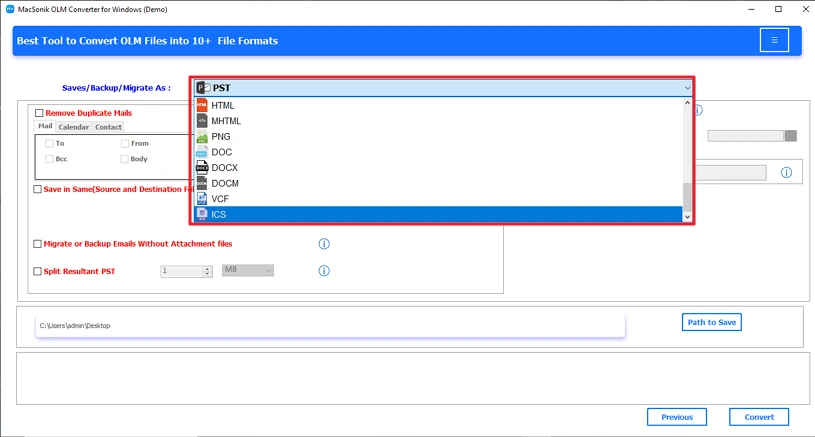
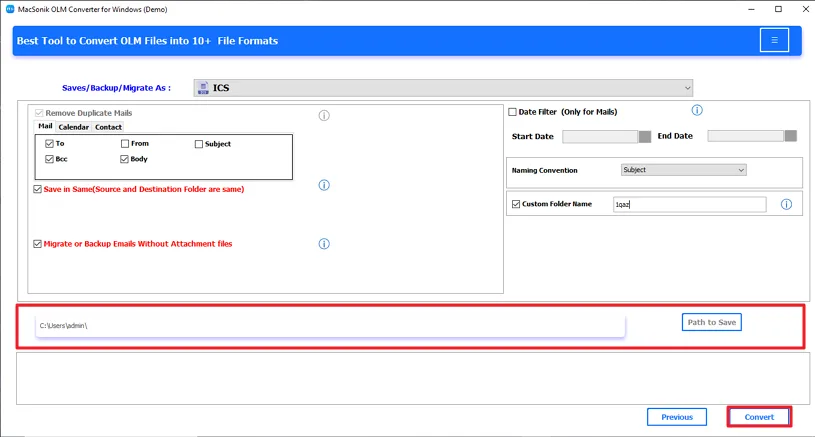
- Therafter, choose ICS as the destination.
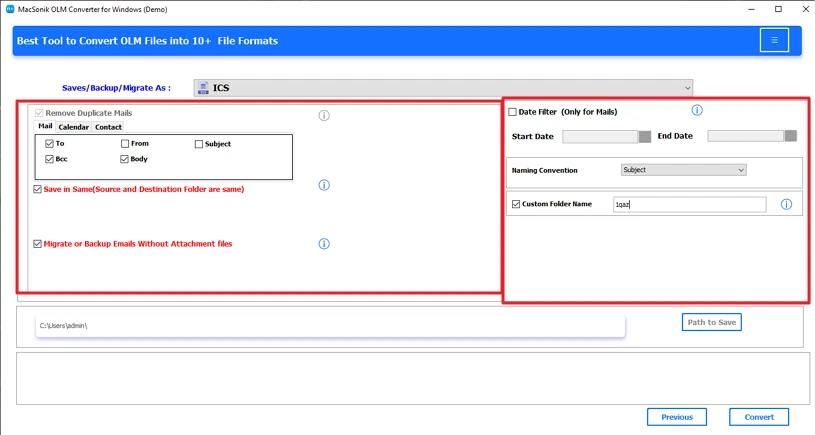
- Choose and apply appropriate filters according to you.
- At last, set the path to save and click Convert to change OLM Files to ICS.

Conclusion
In short, it is necessary to convert OLM to ICS file format because of the increasing need for calendar management that is easy to access and flexible. While the manual process works for a small number of people, tools such as OLM Converter will efficiently and accurately perform a mass conversion from OLM into ICS. With the right method for any file size or any volume of files.
Frequently Asked Questions
Q1. How do I convert OLM file to ICS directly?
Q2. Is it possible to convert OLM to ICS with a specific date range?
Q3. What is the best method to change OLM files to ICS?
Related Post
