Import PST to Yandex Mail with Attachments? Quick Ways


User Query: I recently moved to Yandex Mail because it feels easier to handle. Now I have a few PST files from Outlook that I need in my Yandex account. What’s the simplest way to import them?
Summary: Switching from Outlook to Yandex Mail is pretty common now. But when it comes to moving old PST files, that’s where people get stuck. PST files don’t just open anywhere. And importing them into Yandex isn’t as direct as many expect. In this blog, we’ll talk about two ways to import PST to Yandex Mail. One is the manual method using Outlook. The other is using the MacSonik PST Converter Tool if you want something more direct.
Why Do Users Import Outlook PST to Yandex Mail?
- PST files only open inside Microsoft Outlook.
- Many people don’t want to keep Outlook installed just to read old emails.
- Yandex Mail works in any browser.
- It’s easier to manage emails in one online account.
- Cloud access feels more flexible than keeping files stored locally.
- Old PST emails may contain important data that users don’t want to lose.
DIY Method to Import PST to Yandex Mail Using Outlook
If you already have Outlook installed, you can move emails manually. It takes time, but it works.
Steps to Import PST File into Yandex Mail
- Open Outlook and click File.
- Choose Open & Export > Import/Export.
- Select Import from another file > Outlook Data File (.pst).
- Browse and open your PST file.
- Go to File > Account Settings > Add Account.
- Enter your Yandex Mail email address.
- Choose Manual setup under advanced options.
- Select IMAP.
- Enter your password and finish setup.
- Drag and drop folders from the PST file into your Yandex mailbox.
- Wait for Outlook to sync everything.
Now add your Yandex account:
Once both accounts are visible:
After syncing is complete, your emails should appear in Yandex Mail.
Limitations
- Sync can stop in between.
- Large PST files take a long time.
- Not suitable if you have many PST files.
- Attachments or properties may not always transfer perfectly.
- It feels confusing if you’re not used to Outlook settings.
Best Way to Import PST to Yandex Mail with Attachments
The manual way works, but honestly, it’s slow. You have to set up accounts, drag folders, and wait for syncing. Another option is using the PST Converter Tool.
With this tool:
- You can open the PST file directly.
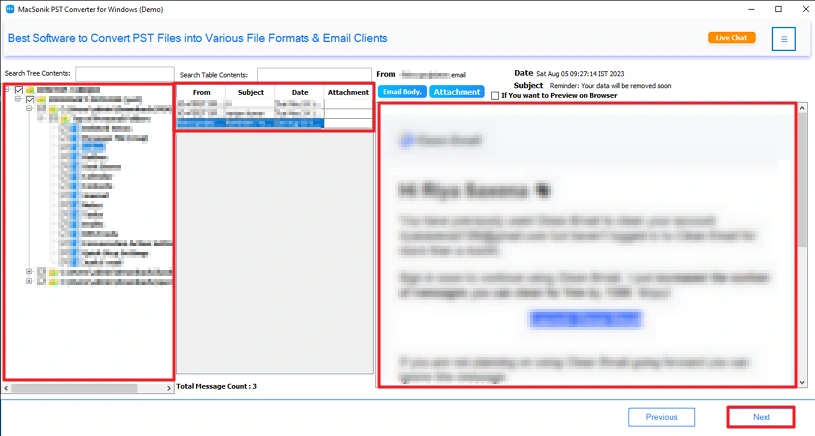
- You can preview emails before moving them.
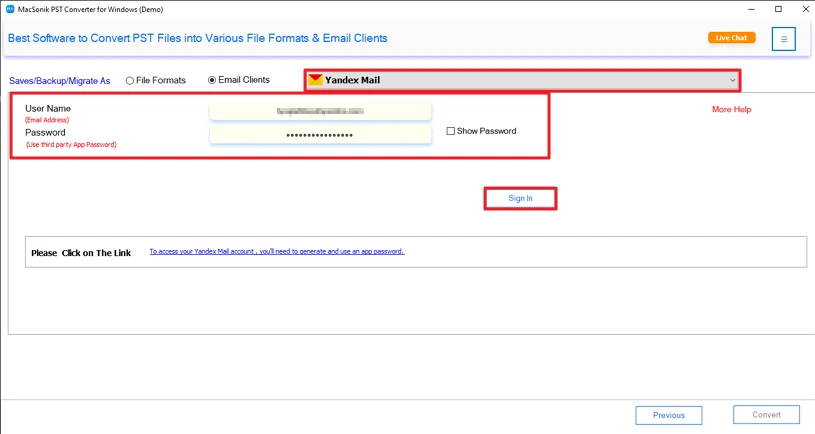
- In addition, you can export directly to Yandex Mail.
- It works even on Mac systems.
- It keeps emails and attachments together.
Moreover, it also allows you to convert PST to TXT and many other formats if needed.
Steps to Move PST Emails to Yandex Mail
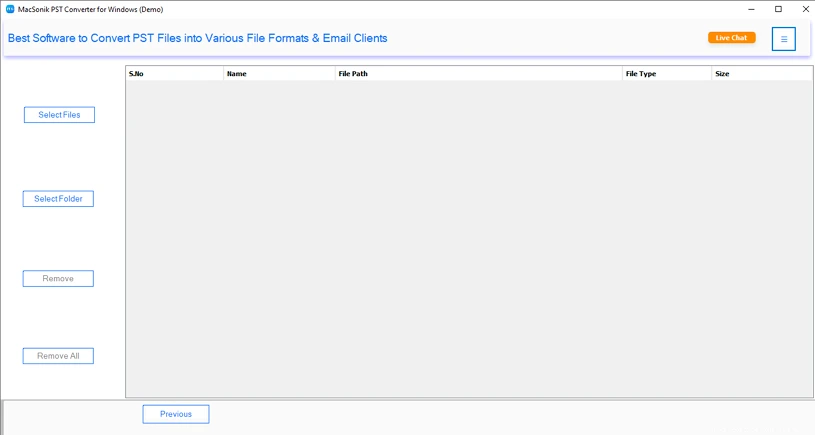
- Firstly, download the PST Converter Tool.
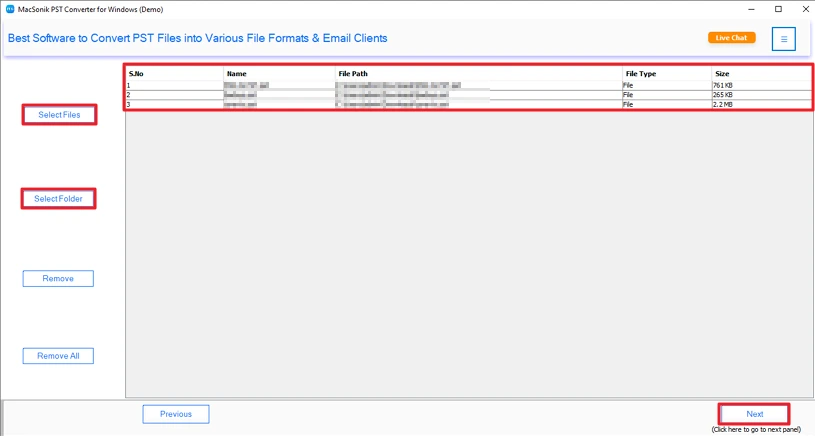
- Then, add the PST files and click Next.
- Preview & select PST files and click Next.
- Further, choose the Yandex Mail and sign in with your details.
- Lastly, apply the filters and hit the Convert button.
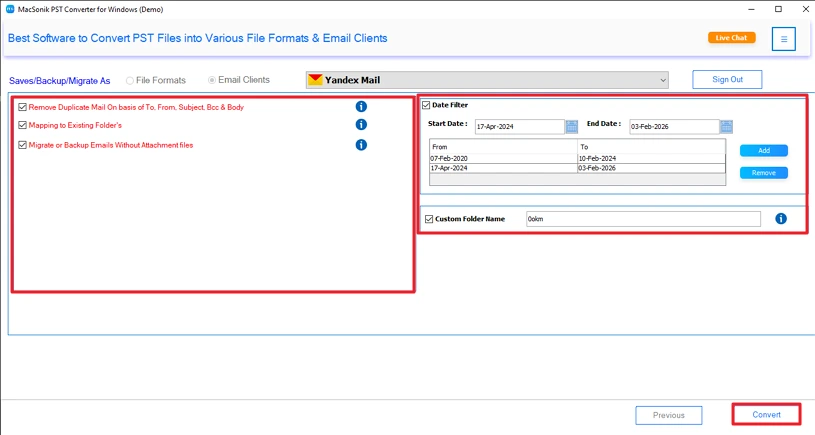
Successful User Case
John Carter, a freelance consultant from the UK, had years of client emails stored in large PST files. When he moved to Yandex Mail, he needed all those emails without losing anything.
He used the PST Converter Tool. He added his PST file, previewed the emails, signed into Yandex, and started the process.
Within some time, all his emails and attachments were available in his Yandex account. Folder structure stayed the same. No missing emails. No need to repeat the process.
It helped him switch platforms without interrupting his work.
Conclusion
There’s no direct open-and-use option to import PST to Yandex Mail. You can move them manually if the file isn’t too big and you have some time. Using a PST converter tool just makes the job simpler. It moves the emails and attachments together, and you don’t have to sit there managing folders one by one. Additionally, it offers multiple useful features to optimize results.
Frequently Asked Questions
Ans: If the PST file is large, the manual drag-and-drop method through Outlook can take a lot of time. In that case, using the PST Converter Tool is more practical.
Ans: Yes. While using the PST Converter Tool, you can apply filters before starting the conversion. This helps you move emails based on a specific date range instead of transferring the entire mailbox.
Ans: The tool allows you to preview emails before conversion and keeps emails and attachments together. The folder structure also remains the same during the transfer to Yandex Mail.
Ans: If the PST file is small and you already have Outlook installed, the manual IMAP method can work. But for larger files or quicker results, the PST Converter Tool is the easier option since it handles the transfer in one go.
Related Post
