Convert ICS to MSG: Easy & Fast Calendar Conversion Guide


User Query: I used the Outlook application, and recently I received the ICS files that are not supported by Outlook. To keep the received ICS file in Outlook, I want to save that file in MSG format. What is a suitable and easy way to save them?
Summary: When you want to keep a proper record, especially if you use Outlook, ICS isn’t always the best format. That’s where MSG files are more useful. In this blog, we’ll look at a simple manual way to convert ICS to MSG, and also talk about using a professional ICS Converter Tool if you want something quicker and more reliable. Both methods help you save the file without losing important information.
Why Users Prefer to Convert ICS Files to MSG?
- MSG files open directly in Microsoft Outlook.
- Easier to keep meeting invites as a permanent record.
- No risk of the event getting changed or overwritten.
- Works better for email backups and archives.
- Simple to share or store along with other Outlook emails.
- Keeps all event details in one Outlook-friendly file.
ICS vs MSG File Format Comparison
|
Feature |
ICS File |
MSG File |
|
File purpose |
Mainly used for calendar events and meeting invites |
Used to save Outlook emails, meetings, or records |
|
Usage |
Commonly shared to add events to calendars |
On the other hand, used to store and archive data |
|
Outlook support |
Opens in Outlook, but mostly for scheduling |
Whereas MSG opens directly as an Outlook message |
|
Data storage |
Focuses only on event-related details |
In contrast, stores full email-style information |
|
Best for |
Adding or sharing calendar events |
Keeping a permanent Outlook record |
|
Editing |
Can be changed when re-imported |
However, MSG files stay fixed once saved |
|
Archiving |
Not ideal for long-term storage |
Therefore, better for backups and compliance |
How to Convert ICS to MSG with Manual Methods?
You can use this manual method to save your file in MSG format if you have Outlook. This method is used to convert a few files without any errors or cost.
Steps to Convert ICS Calendar File to MSG Format
- Firstly, open Outlook on your computer.
- Furthermore, open the ICS file by double-clicking it or loading it from your system.
- Afterwards, click Save & Close so the event is added to your calendar.
- Then, find the event in the Calendar and open it.
- After that, go to File > Save As.
- Thereafter, choose Outlook Message Format (MSG) and select Unicode.
- Finally, click a location and save the file to export ICS to MSG.
Limitations
- Works only if Microsoft Outlook is already installed.
- Not practical when you have many ICS files to convert.
- Some event details may not save the same way every time.
- No progress tracking or confirmation once files are saved.
- Easy to miss files if you’re doing this repeatedly.
Quick Steps to Convert ICS to MSG Without Hassle
The ICS File Converter Tool is a multi-purpose and expert-recommended tool. Also, if you need to convert ICS to EML in bulk, using this tool is the easiest option. It lets you add multiple ICS files at once and convert them all together. The tool supports calendar events, meeting details, and attachments. It keeps the original file structure and basic information the same during the process.
This is useful when you don’t want to open and save each file manually. Many users also rely on it when they need to import ICS to Office 365 or store calendar files in email format for later use.
Steps to Convert iCalendar to MSG
- Firstly, download the ICS File Converter Tool.
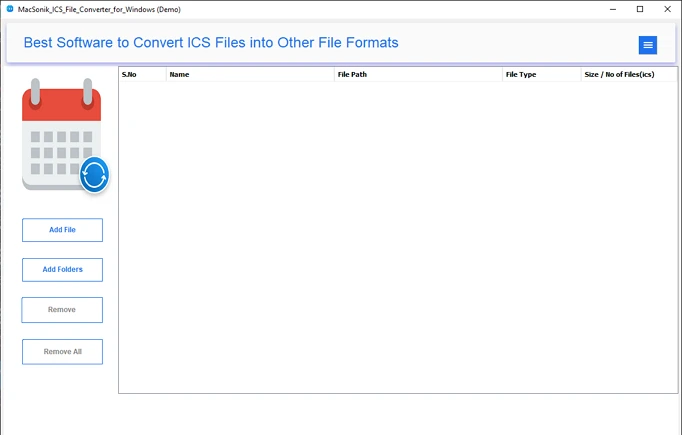
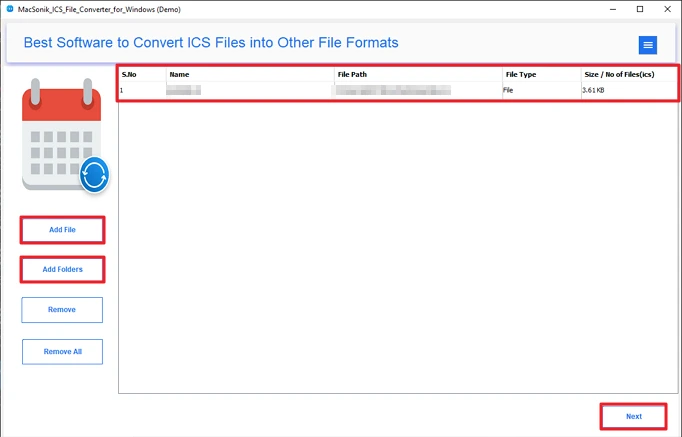
- Then, add the ICS files and click Next.
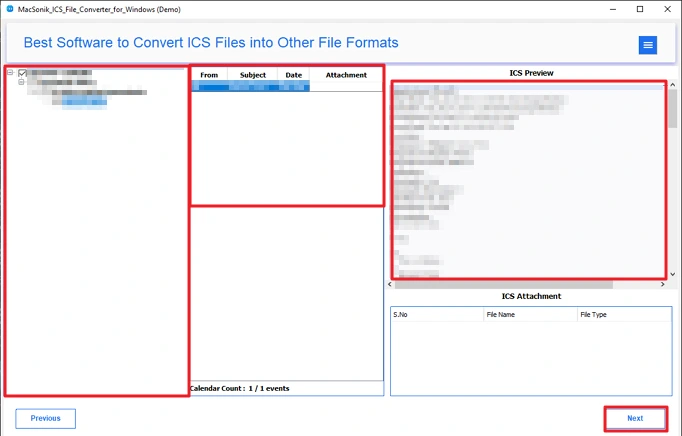
- Afterwards, select and preview your files and click Next.
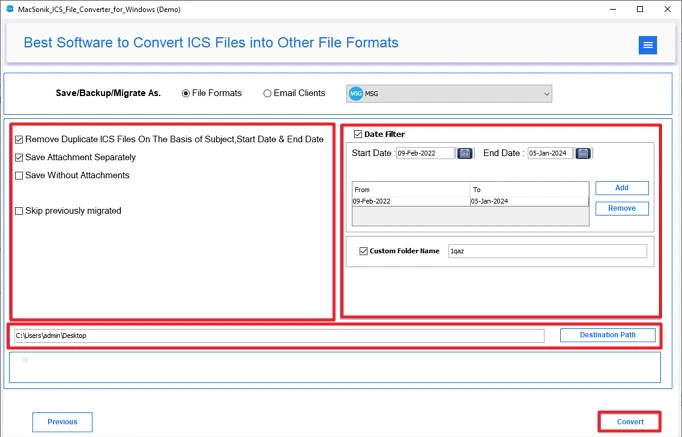
- Thereafter, choose the MSG file format.
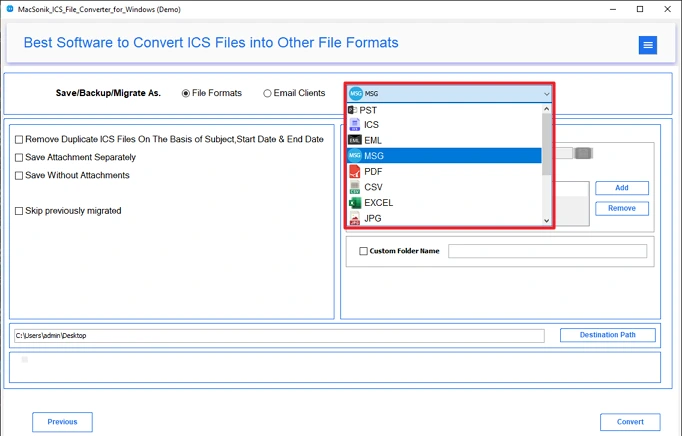
- Finally, apply filters, set the path, and click Convert.
Conclusion
In this blog, we looked at two ways to convert ICS to MSG. The manual option doesn’t cost anything, but it has limits and works only for a small number of files. It can also take time and needs extra effort. Because of that, many users prefer using a professional tool. It handles files in bulk and includes useful options like previewing data, removing duplicates, and filtering by date.
Frequently Asked Questions
Ans: Using the professional ICS File Converter Tool is the best option to convert the ICS file to MSG format. It has multiple features and is designed to provide accurate results.
Ans: The smart utility named ICS File Converter is a smart way to convert files without any technical skill. Additionally, it converts a large number of files in minimal time.
Ans: Yes, using the manual methods, you can convert your ICS file to MSG without paying any cost.
Ans: Yes, the professional tools allow you to convert bulk ICS files to MSG format without any hassle. Moreover, this tool ensures zero data loss during the process.
Related Post
